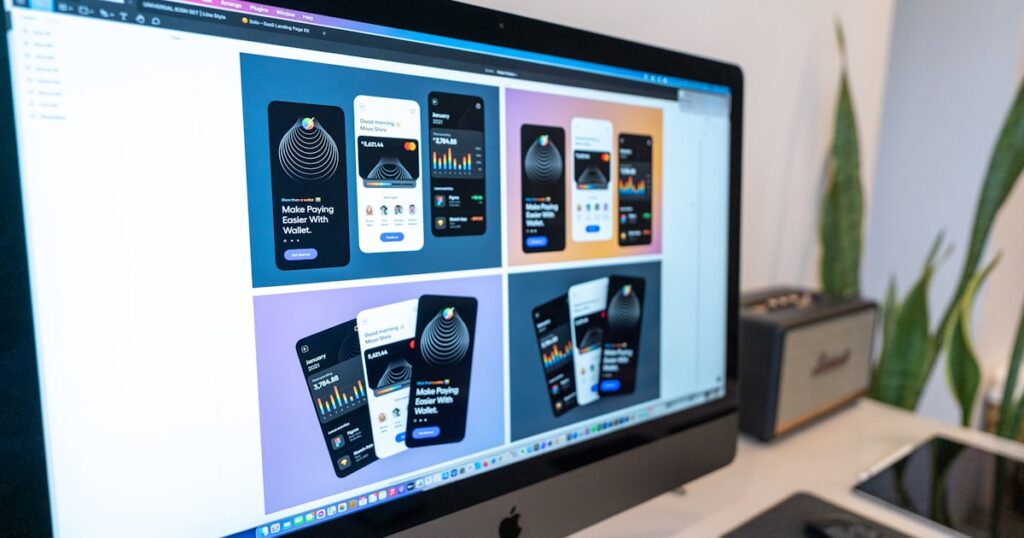
Best Figma AI Plugins Alternatives for Designers in 2025
Figma’s native AI features and plugin ecosystem have come a long way, but they still leave plenty of designers frustrated — whether it’s plugin instability, limited generative output, token caps, or the creeping cost of stacking multiple plugins on top of an already-expensive Figma subscription. If you’ve been hunting for Figma AI plugins alternatives that give you more control, better output quality, or a lower cost-per-project, this guide covers exactly that: a detailed roundup of standalone generative design tools, AI naming and copy plugins, and the integration ecosystems worth building around in 2025.
Table of Contents
- Why Designers Are Searching for Figma AI Plugins Alternatives
- The Plugin Stability Problem
- Token Costs Add Up Fast
- Feature Ceiling
- Figma AI Plugins Alternatives: The Top 6 Tools Compared
- 1. Uizard — Best for AI Wireframing and Rapid Prototyping
- 2. Galileo AI — Best for High-Fidelity Generative UI
- 3. Framer AI — Best for Design-to-Publish Pipelines
- 4. Khroma — Best for AI Color and Visual Identity Work
- 5. Copy.ai — Best Standalone AI Copy for Design Projects
- 6. Locofy.ai — Best for AI-Powered Design-to-Code
- Head-to-Head Comparison Table
- Workflow Tutorials: Integrating These Tools Into a Real Project
- Tutorial 1: SaaS Dashboard Design Workflow
- Tutorial 2: Landing Page Design-to-Launch Workflow
- Cost-Per-Project Analysis: Figma Plugins vs. Alternatives
- Figma Plugin Stack Cost
- Alternative Stack Cost
- Pros and Cons of Moving Away From Figma AI Plugins
- How to Choose the Right Alternative for Your Workflow
- Choose Uizard or Galileo If…
- Choose Framer AI If…
- Choose Copy.ai If…
- Choose Locofy.ai If…
- Our Recommendation
- Conclusion
- Recommended Tools
- UltaHost
Quick Answer
The best Figma AI plugins alternatives in 2025 are Uizard for rapid AI-generated wireframes, Galileo AI for high-fidelity generative UI, Khroma for AI color workflows, Framer AI for design-to-publish pipelines, and Copy.ai / Jasper for AI copy that doesn’t require a Figma plugin at all. The right choice depends on your workflow stage — early ideation, visual polish, or copy production — and your monthly budget. Read on for the full comparison, cost-per-project breakdown, and workflow tutorials.
Why Designers Are Searching for Figma AI Plugins Alternatives
Before jumping into the tools, it’s worth being honest about what’s actually driving people away from the Figma plugin ecosystem.
The Plugin Stability Problem
Figma’s plugin API is powerful, but third-party AI plugins live and die on developer maintenance. Plugins like Magician or AI Image Generation by Stable Diffusion work brilliantly one week and break after a Figma update the next. When your deadline is tomorrow, a broken plugin isn’t a minor inconvenience — it’s a blocker. Designers who rely on AI-assisted workflows increasingly need tools that own their entire stack, not plugins bolted onto someone else’s platform.
Token Costs Add Up Fast
Many AI Figma plugins pass OpenAI or Midjourney API costs directly to the user. A session of generating hero images, component copy, and color palettes can burn through $15–$30 in tokens before you’ve finished a single landing page section. Multiply that across a five-project month and you’re looking at $75–$150 in variable costs on top of your Figma subscription — with no predictability for client billing.
Feature Ceiling
Figma AI plugins excel at isolated tasks: rename a layer, generate a quick image, suggest a color. They rarely offer the connected workflow that modern AI-assisted design demands — where your copy, visuals, and component structure are all informed by the same project context. That’s where purpose-built alternatives shine.
Figma AI Plugins Alternatives: The Top 6 Tools Compared
Here’s a structured breakdown of the strongest alternatives, covering generative design, AI copy, and full-stack design-to-deployment pipelines.
1. Uizard — Best for AI Wireframing and Rapid Prototyping
Uizard lets you generate wireframes and full UI screens from text prompts or hand-drawn sketches. Unlike Figma plugins that generate static assets, Uizard produces editable component structures you can iterate on directly. Its “Autodesigner” feature takes a project description and returns a multi-screen app prototype in under 90 seconds — genuinely useful for stakeholder presentations before you’ve touched a pixel.
Workflow Tutorial: Type “e-commerce checkout flow, mobile-first, minimal” into Autodesigner → export screens as images → import into Figma for high-fidelity polish. Total time saved vs. manual wireframing: approximately 2–3 hours per project.
Pricing: Free tier (limited projects), Pro at $12/month, Business at $39/month.
2. Galileo AI — Best for High-Fidelity Generative UI
Galileo AI is the closest thing to “AI does the Figma work for you.” Describe a UI and it generates fully-layered, editable Figma-compatible designs. The output quality is noticeably better than plugin-based generators because Galileo trained specifically on UI design patterns rather than general image datasets. It understands that buttons need padding, that cards need hierarchy, and that mobile layouts have constraints.
Workflow Tutorial: Paste your PRD or user story into Galileo → generate component variants → copy-paste the Galileo layers into your Figma file → apply your brand design system. Saves roughly 4–6 hours on initial screen composition for a typical SaaS dashboard.
Pricing: Waitlist/early access pricing; expect $29–$49/month at scale based on beta reports.
3. Framer AI — Best for Design-to-Publish Pipelines
If your design work ends in a live website (not a handoff to developers), Framer AI is arguably the most complete alternative to the Figma + plugin stack. You describe a website, Framer generates it with real responsive layouts, and you publish directly — no developer handoff, no export headaches. For agencies building landing pages, microsites, or MVPs, the cost-per-project math strongly favors Framer.
Cost-per-project analysis: A freelancer charging $2,000 for a 5-page marketing site might spend 12 hours in Figma + plugins before handing to a developer. In Framer AI, the same project runs 4–6 hours including copy and launch. At $40/hour effective rate, that’s $240–$320 saved per project.
Pricing: Free tier, Mini at $5/month, Basic at $15/month, Pro at $30/month.
4. Khroma — Best for AI Color and Visual Identity Work
Khroma is a specialized AI color tool that learns your color preferences and generates infinite on-brand palettes. It’s not trying to replace Figma — it’s trying to make the color decision phase dramatically faster. For brand designers and visual identity consultants, Khroma solves a genuine pain point that Figma’s native tools and most plugins handle poorly.
Pricing: Free (browser-based).
5. Copy.ai — Best Standalone AI Copy for Design Projects
Rather than using a Figma plugin to generate button labels, headlines, and microcopy (with all the instability that entails), Copy.ai gives you a dedicated workspace for producing design copy. You can create project-specific brand voices, generate entire content hierarchies, and export clean copy that your design team drops into components. No API token anxiety, no plugin updates.
Pricing: Free (2,000 words/month), Pro at $36/month, Team at $186/month.
6. Locofy.ai — Best for AI-Powered Design-to-Code
Locofy sits at the other end of the pipeline from Galileo. Instead of generating designs, it converts your existing Figma designs into production-ready React, Next.js, or HTML code using AI. If your pain point is the handoff stage — where Figma AI plugins can’t help at all — Locofy is the answer. It dramatically reduces the back-and-forth between designers and developers.
Pricing: Free tier, Pro at $39/month, Team pricing available.
Head-to-Head Comparison Table
| Tool | Best For | Pricing (starting) | Figma Integration | AI Capability Type | Output Format |
|---|---|---|---|---|---|
| Uizard | Wireframing & prototyping | Free / $12/mo | Import/Export | Generative UI from text | Editable screens |
| Galileo AI | High-fidelity UI generation | ~$29/mo (beta) | Figma-compatible layers | Generative UI from text | Figma layers |
| Framer AI | Design-to-publish websites | Free / $15/mo | Standalone (replaces Figma) | Full site generation | Live website |
| Khroma | Color palettes & visual identity | Free | Manual export | Color AI | Palette codes |
| Copy.ai | UI copy & microcopy | Free / $36/mo | Manual copy-paste | NLP text generation | Text |
| Locofy.ai | Design-to-code conversion | Free / $39/mo | Native Figma plugin | Code generation from design | React/HTML/CSS |
| Figma AI Plugins (baseline) | In-Figma AI tasks | Varies ($0–$30+) | Native | Mixed (image, text, rename) | In-file assets |
Workflow Tutorials: Integrating These Tools Into a Real Project
Understanding individual tools is one thing; knowing how to chain them into a coherent workflow is what actually saves time and money.
Tutorial 1: SaaS Dashboard Design Workflow
- Brief → Galileo AI — Input your product requirements. Generate initial screen layouts as a starting point. (Time: 20 minutes)
- Color refinement → Khroma — Run your brand anchors through Khroma to generate a full UI palette. (Time: 10 minutes)
- Copy production → Copy.ai — Generate all UI labels, empty states, error messages, and onboarding copy in your brand voice. (Time: 30 minutes)
- High-fidelity polish → Figma — Import Galileo layers, apply your design system, paste Copy.ai content. (Time: 3–4 hours vs. 8+ hours from scratch)
- Handoff → Locofy.ai — Convert final Figma screens to React components. (Time: 1–2 hours vs. developer sprint)
Total estimated time saving: 8–12 hours per dashboard project.
Tutorial 2: Landing Page Design-to-Launch Workflow
- Concept → Uizard Autodesigner — Generate a rough 4-section landing page from a one-sentence brief.
- Copy → Copy.ai — Write headline variants, subheadlines, CTA copy, and social proof text.
- Build & publish → Framer AI — Feed your concept and copy into Framer, generate the live site, apply branding.
- Host your connected tools and backend → 🔗 UltaHost — If your landing page connects to any AI-powered backend, form processors, or SaaS tools, reliable hosting matters enormously. ultahost.com”>UltaHost’s 99.99% uptime infrastructure is purpose-built for businesses running AI-powered apps and tools that can’t afford downtime during a client launch.
Total time from brief to live URL: 4–6 hours for a 5-section marketing page.
Cost-Per-Project Analysis: Figma Plugins vs. Alternatives
Let’s run the real numbers on a typical freelance project: a 6-screen mobile app UI with copy.
Figma Plugin Stack Cost
- Figma Professional: $16/month (prorated to ~$4/project at 4 projects/month)
- Magician (AI copy/images): ~$8/project in token costs
- AI image generation plugin: ~$12/project in Midjourney or DALL-E API costs
- Time cost at $50/hr: 10 hours = $500
- Total cost basis: $524/project
Alternative Stack Cost
- Galileo AI: $29/month ÷ 4 projects = $7.25/project
- Copy.ai Pro: $36/month ÷ 4 projects = $9/project
- Locofy.ai Pro: $39/month ÷ 4 projects = $9.75/project
- Time cost at $50/hr: 6 hours = $300
- Total cost basis: $326/project
Savings per project: ~$198 (38% reduction). At four projects per month, that’s nearly $800/month in recovered time and tool costs — enough to comfortably cover a dedicated AI toolstack with room to spare.
Pros and Cons of Moving Away From Figma AI Plugins
| Pros | Cons |
|---|---|
| More stable, purpose-built AI tools | Learning curve for each new platform |
| Predictable monthly costs (subscriptions vs. token fees) | Requires copy-paste between tools (no native integration) |
| Higher output quality for specialized tasks | Some client deliverables still expected in Figma format |
| Faster end-to-end workflows when tools are chained | Team adoption can be slow if colleagues are Figma-native |
| Less dependency on Figma update cycles | Subscription costs can stack if you’re not disciplined |
| Better design-to-code pipelines (Locofy, Framer) | Galileo AI and some tools still in early/beta access |
How to Choose the Right Alternative for Your Workflow
Not every designer needs every tool on this list. Here’s a quick decision framework:
Choose Uizard or Galileo If…
You spend significant time on early-stage wireframing and screen composition. If you’re a solo designer handling discovery through delivery, these tools pay for themselves in the first project.
Choose Framer AI If…
You’re a designer who regularly launches websites and wants to eliminate the developer dependency entirely. The design-to-publish pipeline is unmatched for marketing sites and landing pages.
Choose Copy.ai If…
You’re writing a lot of UI copy, product content, or microcopy as part of your design process. A dedicated copy AI is more reliable, more customizable, and cheaper per word than plugin-based alternatives.
Choose Locofy.ai If…
You work in agency or in-house product teams where design-to-code handoff is a constant friction point. Locofy doesn’t replace your Figma workflow — it supercharges the end of it.
Our Recommendation
For most independent designers and small agencies, the highest-ROI move is to pair Galileo AI (for generative UI) with Copy.ai (for design copy) and Locofy.ai (for code handoff) — replacing your unstable, expensive Figma plugin stack with three purpose-built tools that cost roughly the same in total but deliver dramatically better results.
If you’re building or launching AI-powered design tools, SaaS products, or client-facing apps alongside your design work, the infrastructure underneath matters just as much as the tools on top. Try UltaHost for dependable, high-performance hosting that keeps your AI-connected apps running at 99.99% uptime — critical when you’re pitching live demos to clients or running production tools that can’t afford downtime. Their plans are built specifically for businesses and developers deploying modern web applications.
Start your project with UltaHost’s reliable hosting and spend your energy on design — not on debugging a crashed server at 11pm before a client presentation.
Conclusion
The era of stacking fragile Figma AI plugins and hoping they work through your next deadline is ending. The Figma AI plugins alternatives reviewed here — Uizard, Galileo AI, Framer AI, Khroma, Copy.ai, and Locofy.ai — offer more stability, better specialized output, and a clearer cost-per-project story than the plugin-first approach. Whether you’re a solo freelancer looking to cut project hours or an agency trying to standardize a scalable AI-assisted workflow, the right combination of these tools can save you 30–40% per project in time and direct costs.
Start by identifying your biggest friction point — ideation, copy, or handoff — and adopt one tool that directly solves it. Build from there. And when your design work connects to live products and applications, make sure the infrastructure is as solid as your design process. Get started with UltaHost for hosting that keeps your AI-powered tools online and your clients impressed.
Recommended Tools
UltaHost
LiteSpeed-powered hosting with NVMe SSD — the fastest stack for WordPress AI review sites.
Best for: Bloggers and businesses who need LiteSpeed + NVMe performance without paying managed-hosting prices.
No credit card required